
Documentation Index
Fetch the complete documentation index at: https://docs.xagent.run/llms.txt
Use this file to discover all available pages before exploring further.
Memory Overview
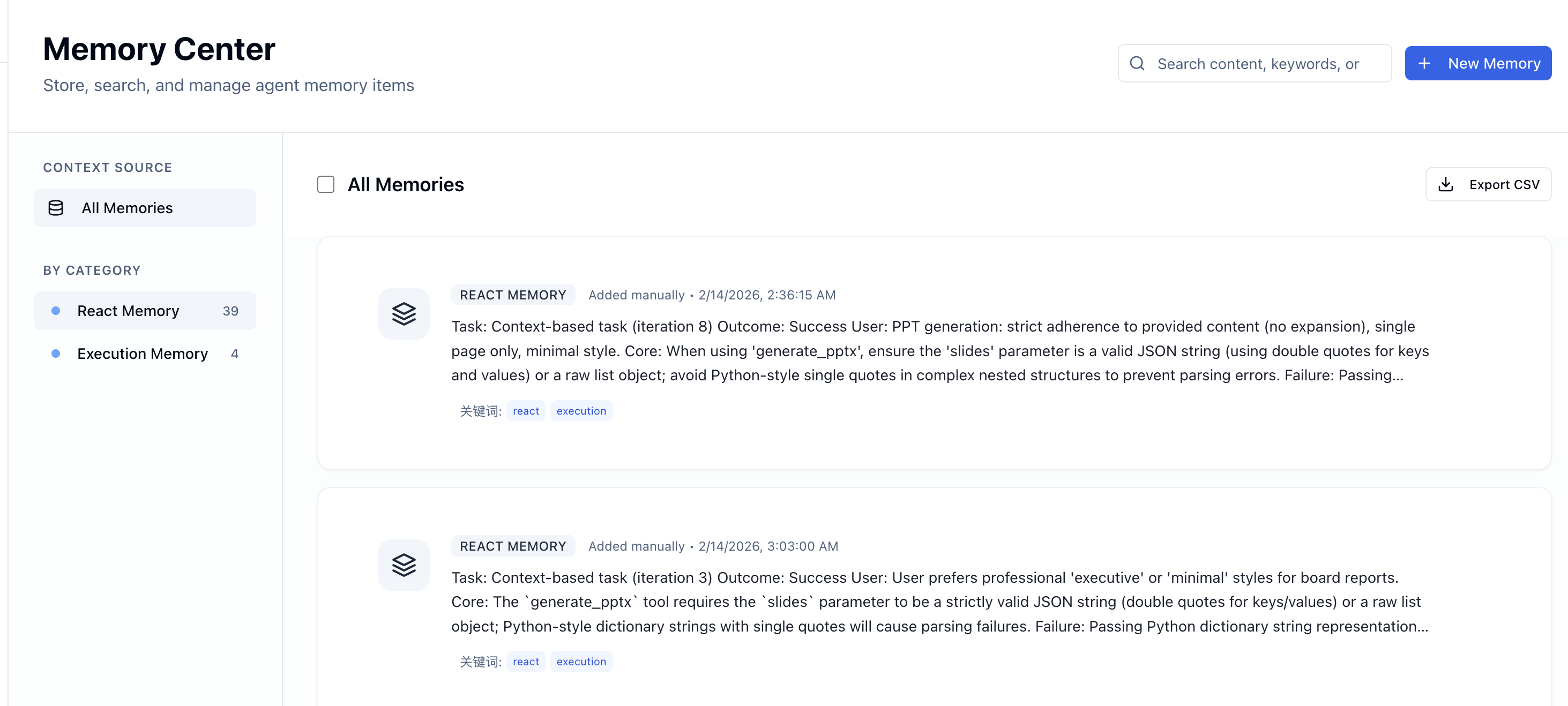
What is Memory?
Memory stores execution results, insights, and experiences from tasks:- Task patterns - What approaches worked for similar tasks
- User preferences - Communication style, format preferences
- Execution insights - Successes, failures, lessons learned
- Best practices - Effective tool combinations and strategies
Why Memory Matters
Continuous Learning
Agents improve with each task execution
Pattern Recognition
Identify what works across similar tasks
Context Enhancement
Enrich new tasks with relevant past experiences
Efficiency
Avoid repeating mistakes and redundant steps
How Memory Works
Memory Storage
After completing a task, Xagent automatically:- Analyzes results - What succeeded, what failed
- Extracts insights - Key learnings and patterns
- Stores memory - Saves structured notes to memory
- Indexes content - Makes memories searchable
Memory Retrieval
When starting a new task, Xagent:- Searches memory - Finds relevant past experiences
- Selects matches - Filters by similarity and category
- Enhances goal - Uses memory to improve task understanding
- Applies learning - Avoids past mistakes, reuses successes
Memory Categories
Plan Execution Memory- Task planning strategies
- Step decomposition approaches
- DAG generation patterns
- Execution results and outcomes
- User feedback and corrections
- Success/failure patterns
- Performance insights
- ReAct loop execution records
- Tool usage effectiveness
- Reasoning patterns
- User preferences
- Behavioral patterns
- Project-specific context
- Domain knowledge
Memory Storage Types
In-Memory Storage
For: Development, testing, short-term tasks Characteristics:- Fast performance
- No persistence (lost on restart)
- In-memory dictionary
- Text-based search
- Testing and development
- Temporary tasks
- Low-latency requirements
Vector Database Storage
For: Production, long-term learning, semantic search Characteristics:- Persistent storage (LanceDB)
- Semantic similarity search
- Embedding-based retrieval
- Scales to large memory
- Production environments
- Long-running agents
- Large task volumes
- Need semantic search
Memory in Action
Learning from Success
Avoiding Mistakes
User Preferences
Memory Lifecycle
Storage Trigger
Memory is automatically stored when:- Task completes (successfully or with learnings from failures)
- Agent identifies useful insights
- User provides explicit preferences
- Patterns emerge from execution
Retrieval Trigger
Memory is retrieved when:- Starting a new task
- Similar patterns detected
- User asks about past experiences
- Agent needs context for decisions
Memory Maintenance
- Automatic deduplication - Removes duplicate memories
- Relevance scoring - Tracks memory usefulness
- Periodic cleanup - Removes outdated or unused memories
- Search optimization - Updates indices for performance
Memory vs Knowledge Base
| Feature | Memory | Knowledge Base |
|---|---|---|
| Source | Generated from task execution | Uploaded documents |
| Content | Insights, patterns, learnings | Facts, documentation, data |
| Structure - Unstructured notes | Structured documents | |
| Search - Semantic similarity | Vector similarity + keyword | |
| Purpose | Learn and improve | Reference information |
- Knowledge base provides domain information
- Memory provides experiential learning
- Agents use both for optimal performance
Benefits
For Users
- Consistent experience - Agents remember your preferences
- Better results - Learnings improve over time
- Fewer corrections - Avoids repeating mistakes
- Faster execution - Reuses proven approaches
For Agent Builders
- Continuous improvement - Agents get better automatically
- Reduced tuning - Less manual configuration needed
- Better user experience - More personalized interactions
- Performance insights - See what works and what doesn’t
Privacy and Security
Data Isolation
- Per-user memory - Each user has separate memory space
- Per-agent isolation - Agents don’t share memory by default
- Encrypted storage - Memory data encrypted at rest
User Control
While memory is automatically managed by Xagent, you can:- View memories - See what Xagent has learned from your tasks
- Delete memories - Remove specific memories or clear all
- Export data - Download your memory data
Memory storage and retrieval is fully automatic. The LLM decides what to store and when to use it based on task execution patterns.
Next Steps
- Memory Types - Learn about memory categories
- Memory Configuration - Configure memory settings
- Building Agents - Create memory-enabled agents