
Documentation Index
Fetch the complete documentation index at: https://docs.xagent.run/llms.txt
Use this file to discover all available pages before exploring further.
Templates
Templates are pre-configured agents designed for common use cases. They provide a starting point that you can customize for your specific needs.Template Library
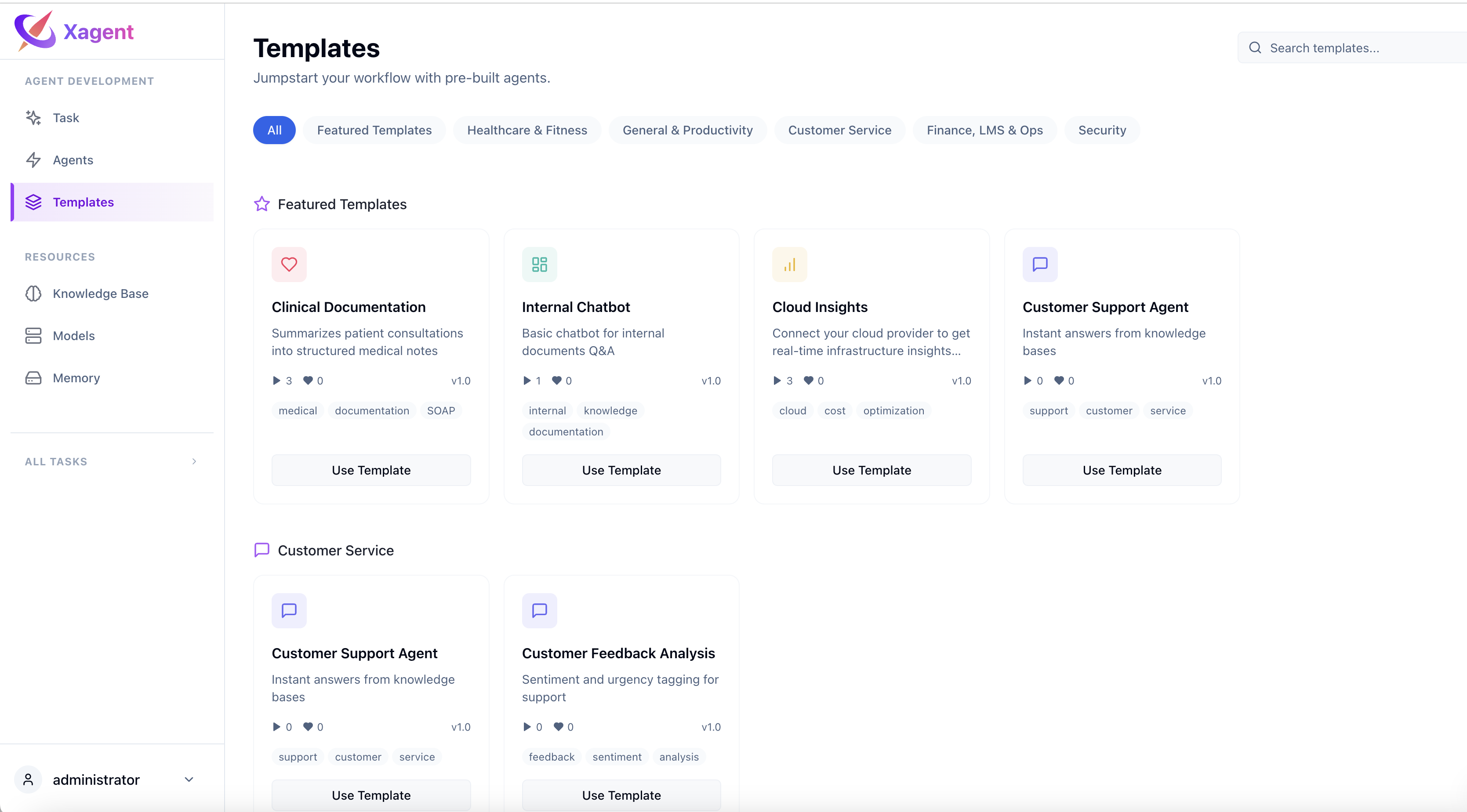
What Are Templates?
Templates are ready-to-use agents for common scenarios:- Customer Service - FAQ handling, customer support
- General & Productivity - Email classification, document translation
- Finance, LMS & Ops - Invoice processing, course generation
- Healthcare & Fitness - Clinical documentation, patient feedback
- Security - Phishing detection, suspicious email analysis
Why Use Templates?
- Save Time - Start with a proven workflow instead of building from scratch
- Best Practices - Learn from tested configurations
- Quick Start - Get results in minutes, not hours
- Customizable - Modify any template to match your needs
Available Templates
Customer Service
Customer Support Agent- Instant answers from knowledge bases
- Troubleshooting and issue resolution
- Product information and assistance
- Analyze customer feedback
- Identify trends and patterns
- Generate insights and reports
General & Productivity
Email Classifier- Automatically tag emails based on labels
- Classify by priority, department, topic
- Route to appropriate handlers
- Translate documents between languages
- Preserve formatting and context
- Handle multiple file types
- Answer employee questions
- Provide company information
- Assist with internal processes
- Generate meeting minutes
- Summarize key discussions
- Extract action items
Finance, LMS & Ops
Automated Invoice & Receipt Processor- Process invoices and receipts
- Extract key information
- Organize financial data
- Create course content
- Generate quizzes and assessments
- Educational material development
- Answer policy questions
- Guide employees on procedures
- HR support automation
- Track deliveries
- Handle shipping inquiries
- Logistics coordination
- Analyze cloud infrastructure
- Monitor performance
- Resource optimization
Healthcare & Fitness
Clinical Documentation- Assist with medical records
- Document patient encounters
- Maintain clinical notes
- Analyze patient feedback
- Identify improvement areas
- Generate insights
- Create fitness plans
- Track progress
- Provide workout guidance
Security
Phishing & Suspicious Email Analyst- Detect phishing attempts
- Analyze suspicious emails
- Security awareness
Using Templates
Step 1: Browse Templates
Go to Build page and click New Agent. You’ll see the template library with all available templates organized by category.Step 2: Select a Template
Browse through categories or search for specific use cases. Click on a template to see its details:- Description
- Instructions
- Configuration
- Tools and skills
Step 3: Create Agent from Template
After selecting a template:- Click Use Template
- The agent configuration editor opens with template settings pre-filled
- Review and customize the configuration
- Test with live preview
- Save and publish
Step 4: Customize
Templates are fully customizable:- Edit Instructions - Modify the agent’s role and behavior
- Add Knowledge Bases - Attach your domain knowledge
- Select Tools - Enable specific tool categories
- Configure Models - Choose models for different purposes
- Add Suggested Prompts - Help users get started
Best Practices
Choose the Right Template
- Start with a template close to your use case
- Review the template’s category and description
- Check if it has the tools you need
Test Before Customizing
- Use the live preview to test the template
- Verify the agent behavior matches expectations
- Identify what needs to be changed
Customize Gradually
- Make small changes at a time
- Test after each modification
- Keep what works, modify what doesn’t
Add Domain Knowledge
- Attach relevant knowledge bases
- Upload company documentation
- Include product information
- Add FAQs and guidelines
Next Steps
- Creating Templates - Contribute your own templates
- Building Agents - Learn about agent configuration
- Knowledge Base - Add domain knowledge to your agents