
Documentation Index
Fetch the complete documentation index at: https://docs.xagent.run/llms.txt
Use this file to discover all available pages before exploring further.
Models Overview
Xagent supports multiple types of AI models, each serving different purposes in task execution.Model Types
LLM Models
Large Language Models power the core intelligence of Xagent - handling reasoning, planning, and text generation. Types: Main Model - Primary model for all task execution- Required for Xagent to function
- Handles planning, reasoning, and decision making
- Examples: Claude 4.6 Sonnet, GPT 5.2, Gemini 3 Pro
- Automatically used for simple steps identified during planning
- Reduces cost and improves speed
- Examples: Claude 4.6 Sonnet, GPT 5.2
- Compresses conversation history when it exceeds token threshold
- Maintains conversation continuity and key information
- Enables long-running tasks without context limit issues
- Configurable threshold (default: 32,000 tokens)
- Required for image analysis tasks (understand_images, describe_images, detect_objects)
- Enables screenshot interpretation and OCR
- Capabilities vary by model
- See LLM Models → Vision Model for details
Model Sharing
Shared Models allow admin users to configure model access for other users. For Admins:- Configure which models are available to users
- Set model permissions and usage limits
- Share specific models with teams or individuals
- Monitor model usage across users
- Access shared models configured by admin
- No need to manage API keys
- Use pre-configured models directly
Model sharing is configured by admin users in the Models settings. Regular users can only access shared models.
Learn more
Detailed LLM configuration guide
Embedding Models
Enable semantic search and knowledge base operations by converting text into vector representations. Purpose:- Power knowledge base functionality
- Enable semantic document search
- Support vector database operations
- Documents converted to embeddings and stored in vector database
- Xagent retrieves relevant content during tasks
- Retrieved context enhances LLM responses
- Required for knowledge base features
- Document upload and search
- Building RAG systems
- OpenAI text-embedding-3-small/large
- Gemini Text Embeddings
- HuggingFace sentence transformers
Learn more
Detailed embedding configuration guide
Vision LLMs
Multimodal LLMs that can analyze and understand visual content alongside text. Purpose:- Enable image analysis tools (e.g.,
describe_image) - Support screenshot interpretation
- Power OCR and chart analysis
- Vision LLM analyzes uploaded images
- Returns detailed description
- Description used for further reasoning
- Required for image-related tasks
- Screenshot analysis
- Document scanning
- Visual data extraction
- GPT 5.2 (Vision-capable)
- Claude 4.6 Sonnet (Vision-capable)
- Gemini 3 Pro (Vision-capable)
- All Claude 4.6 models support vision
Learn more
Vision LLM configuration guide
Configuration
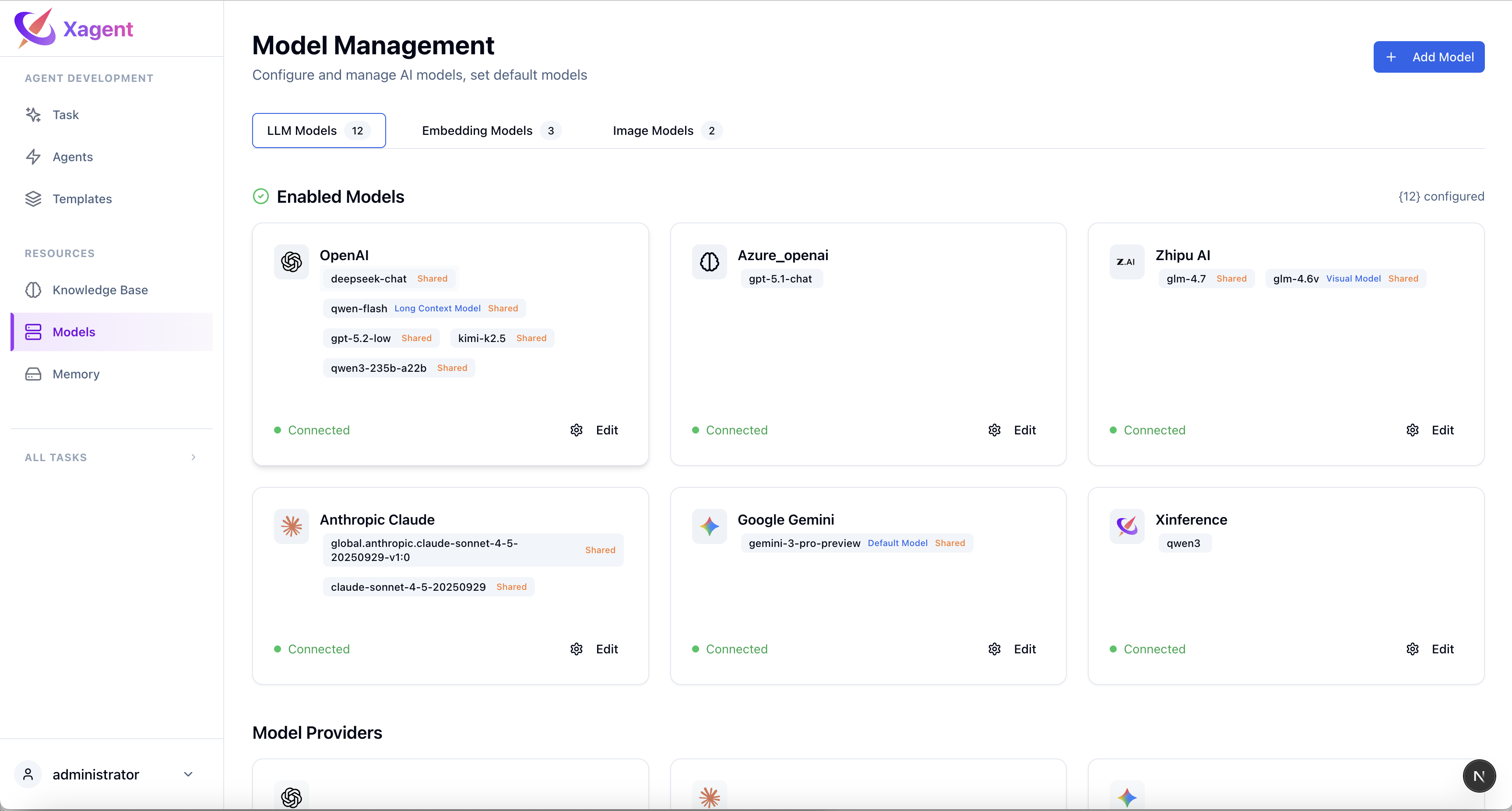
Step 1: Add Provider
Navigate to Models in the sidebar and add your model provider:- OpenAI & OpenAI-compatible
- Anthropic
- Xinference
- Custom endpoints
Step 2: Configure Models
For each model type:- Select the model from provider
- Enter API credentials
- Configure parameters
- Test connection
Step 3: Set as Default
Choose default models for:- Global settings
- Per-task configuration
- Per-agent configuration
Requirements
To get started:- Required: At least one LLM (Claude 4.6 Sonnet or higher recommended)
- Knowledge Base: Embedding model required
- Image Analysis: Vision model required
- Cost Optimization: Fast model recommended
- Long Conversations: Long Context model recommended
Next Steps
- LLM Models - Configure language and vision models
- Embedding Models - Configure vector embeddings
- Image Generation Models - Configure image generation/editing models
- Building Agents - Use models in agents